Every day
Done, Let go and Undo
Everything you finish is kept in Done. Anything you let go can be brought back.
Nothing just disappears in pil3. Every move has Undo in the message that appears, and everything you finish or let go is kept.
Done
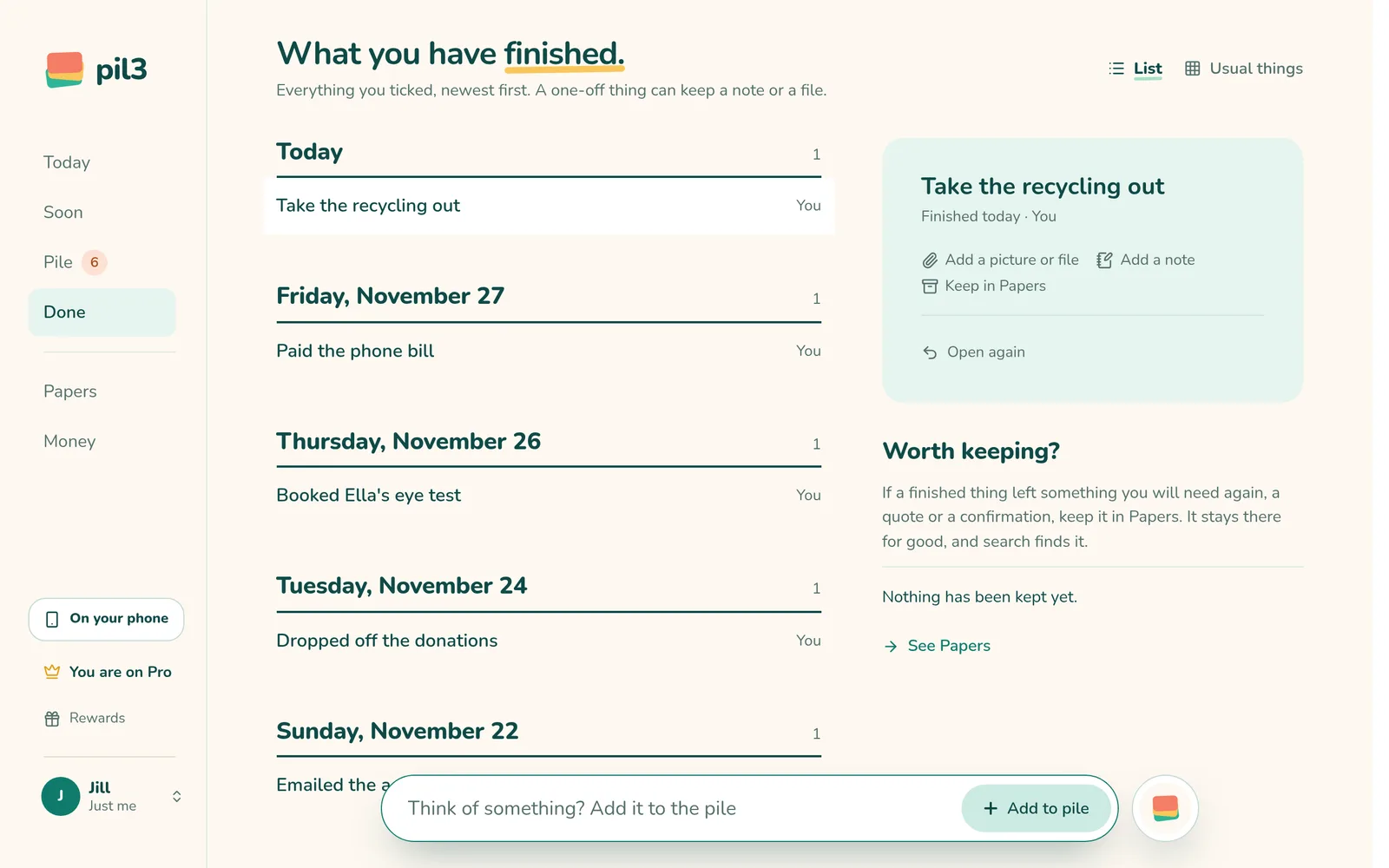
Done lists everything you ticked, newest first, under a heading for each day: one-off things, and with a small tag, your usual things (Usual), other repeating things (Repeats), jobs from Soon (Job) and bills you ticked as paid (Bill). Each tick is its own row. For repeating things and jobs, ticks from before November 28, 2026 are only there if they were among the last.
Pick a one-off thing to see it in the panel beside the list, where you can:
- add a note, a picture or a file,
- Keep in Papers, to keep it with your important papers (Pro),
- Make it repeat,
- Open again, if it is not finished after all.
Your usual things at a glance
Press Usual things at the top of Done to see the things you do every day or every week, a week at a time. A day you ticked one has a tick, a day it came round and was not ticked has an empty circle. Today's can be ticked there. The arrows go back as far as the week pil3 started keeping every tick, November 22, 2026; before November 28, a day with no tick is only a dot.
Opening a tick again
A repeating thing can be opened again on the day it was ticked, and a job in the same month. A bill is un-ticked on Money.
Let go
"Let go" means you do not need to carry it anymore. It is kept, out of sight.
I let something go by mistake
- Press Undo in the message, if it is still there.
- Or open Done, press List if you see your usual things, and unfold Let go at the foot of the list.
- Press Bring back beside it.
Deleting for good
Only a thing on Done's Let go list can be deleted for good, with Delete forever. pil3 asks once, and there is no Undo.