Start here
Sorting the pile
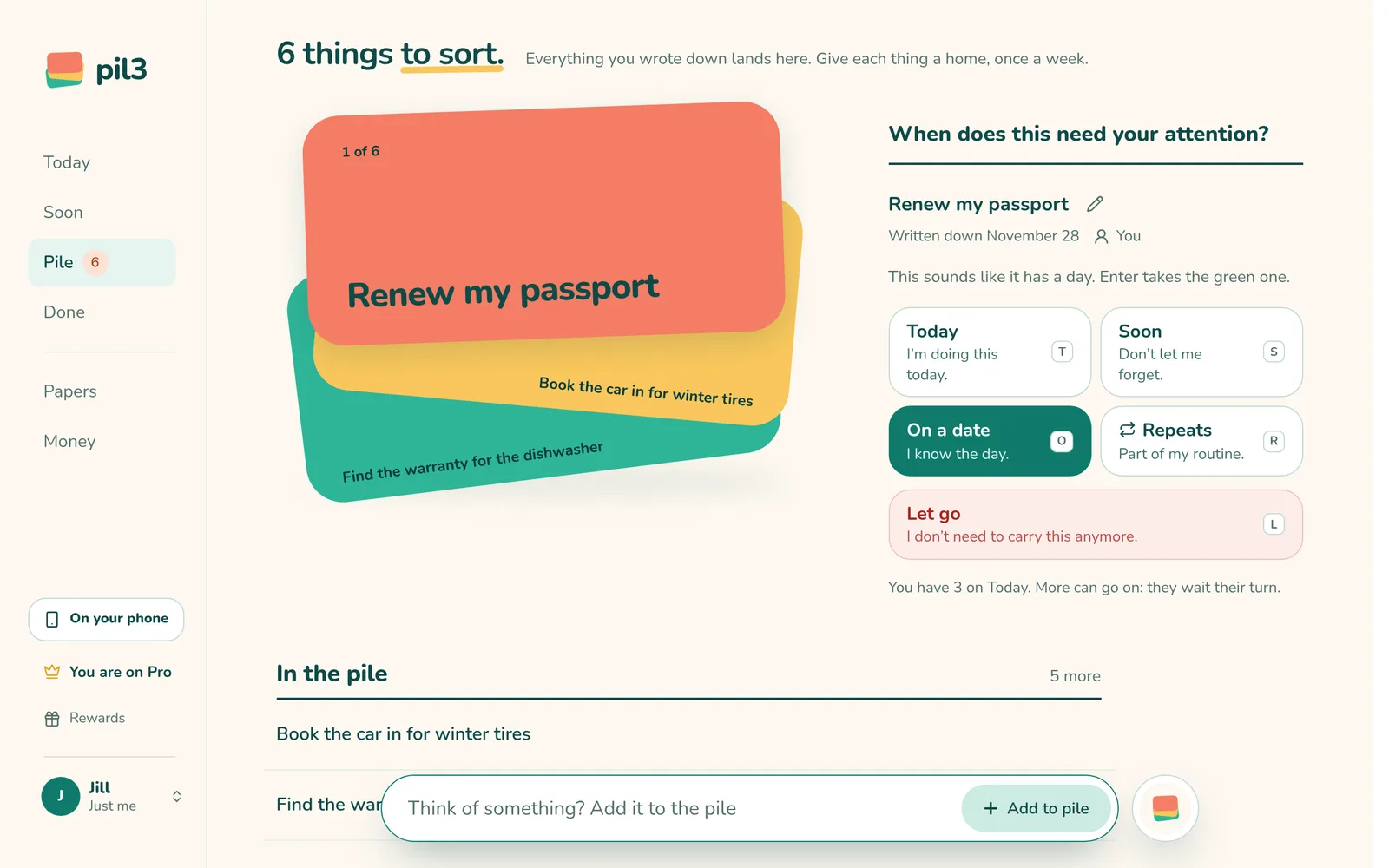
One question for each thing: when does this need your attention? Pick an answer and the next one comes up.
Sorting is answering one question about each thing on your pile: "When does this need your attention?" Nobody asks you for a category or a promise.
- Open Pile in the menu. The top card is the one to sort.
- Pick an answer beside it.
- The next card comes up. Sort a few, or all of them, then stop.
The answers
- Today: "I'm doing this today." It goes on Today at once.
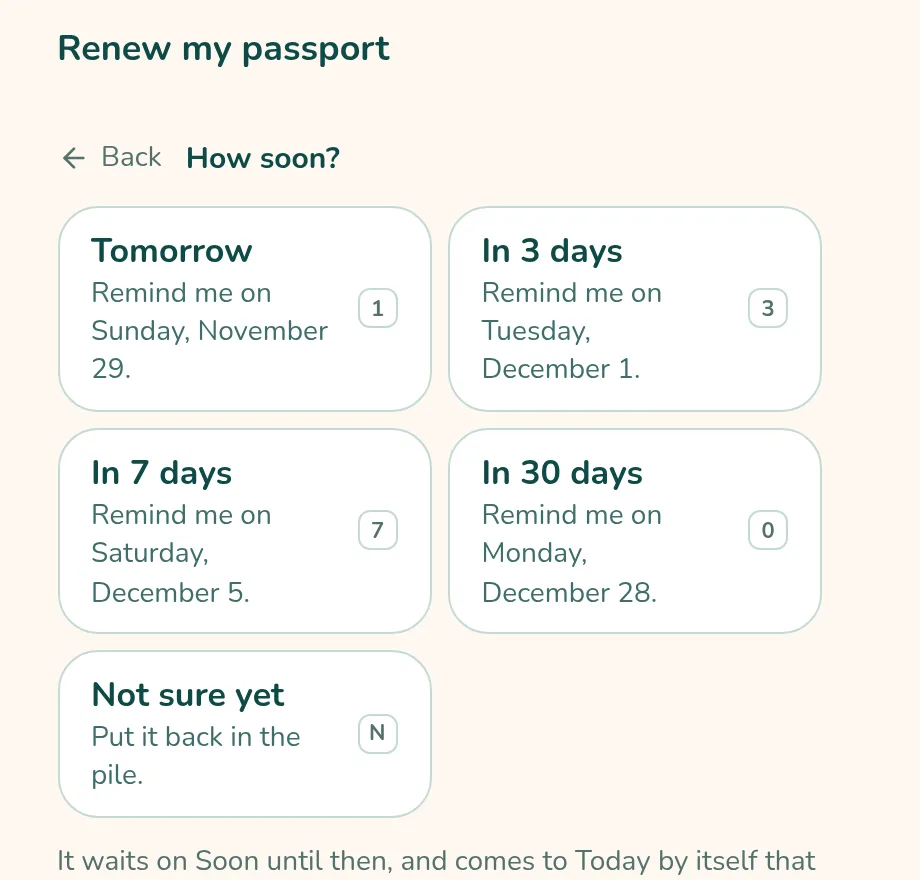
- Soon: "Don't let me forget." pil3 asks how soon: Tomorrow, In 3 days, In 7 days or In 30 days. Each says the day it comes back.
- On a date: "I know the day." Pick the day. If it is a payment, turn on "It is a payment" and type the amount, and it becomes a bill.
- Repeats: "Part of my routine." Pick how often. See Repeats and your usual things.
- Let go: "I don't need to carry this anymore." It is kept, out of sight, and Undo brings it back.
Faster with the keys
Each answer's first letter is its key: T Today, S Soon, O On a date, R Repeats, L Let go. Under Soon, 1, 3, 7 and 0 pick Tomorrow, 3 days, 7 days and 30 days, and N is Not sure yet. Enter takes the green answer, when there is one.
On a phone
Tap the top card and the answers come up from the bottom of the screen.
Everything else on the pile
Under the card, "In the pile" lists everything else. "Move to top" brings one up to sort next. The card colours are only the logo's colours: they never mean anything is more urgent.
When the last thing is sorted, pil3 says "That is the pile sorted."